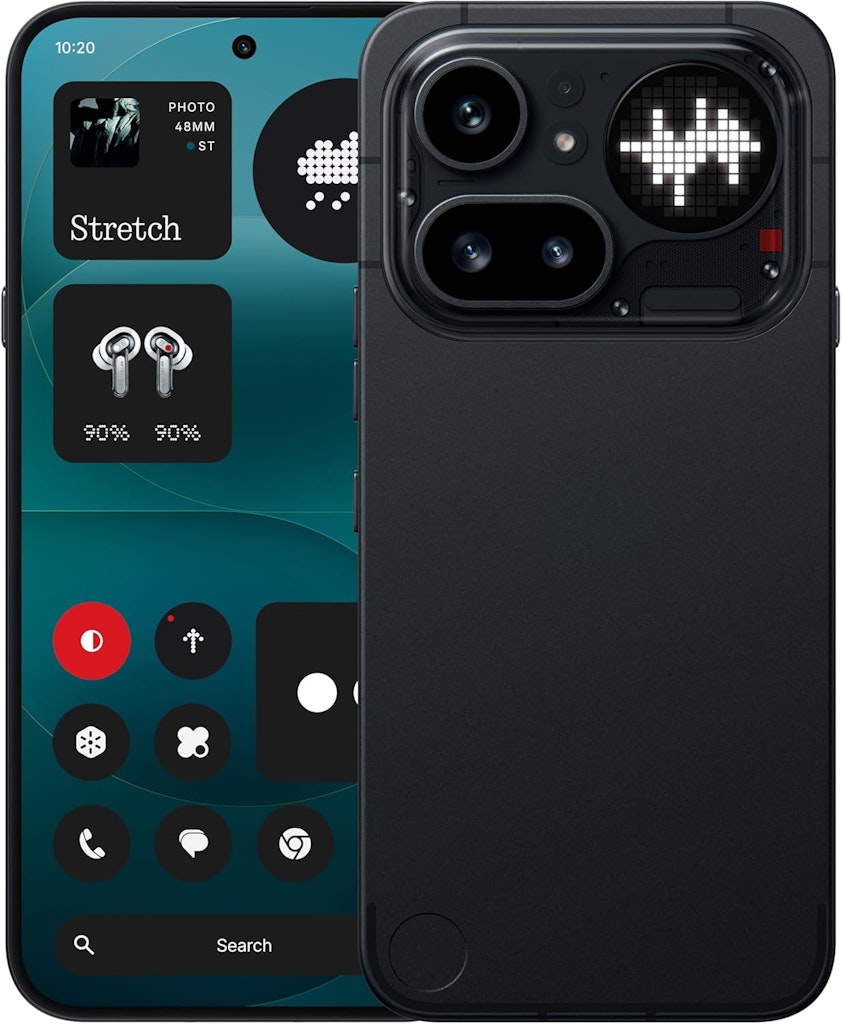
Amazon is now allowing pre-orders of the latest generation of Nothing models, due for release March 27. Order now and they'll chuck in a $100 Amazon gift card. Shipping is free. Buy Now at Amazon
- Snapdragon 7 Gen 4 processor
- 6.83" 144Hz AMOLED Display
- 8GB RAM, 128GB storage
- Model: B0GT1WXS48
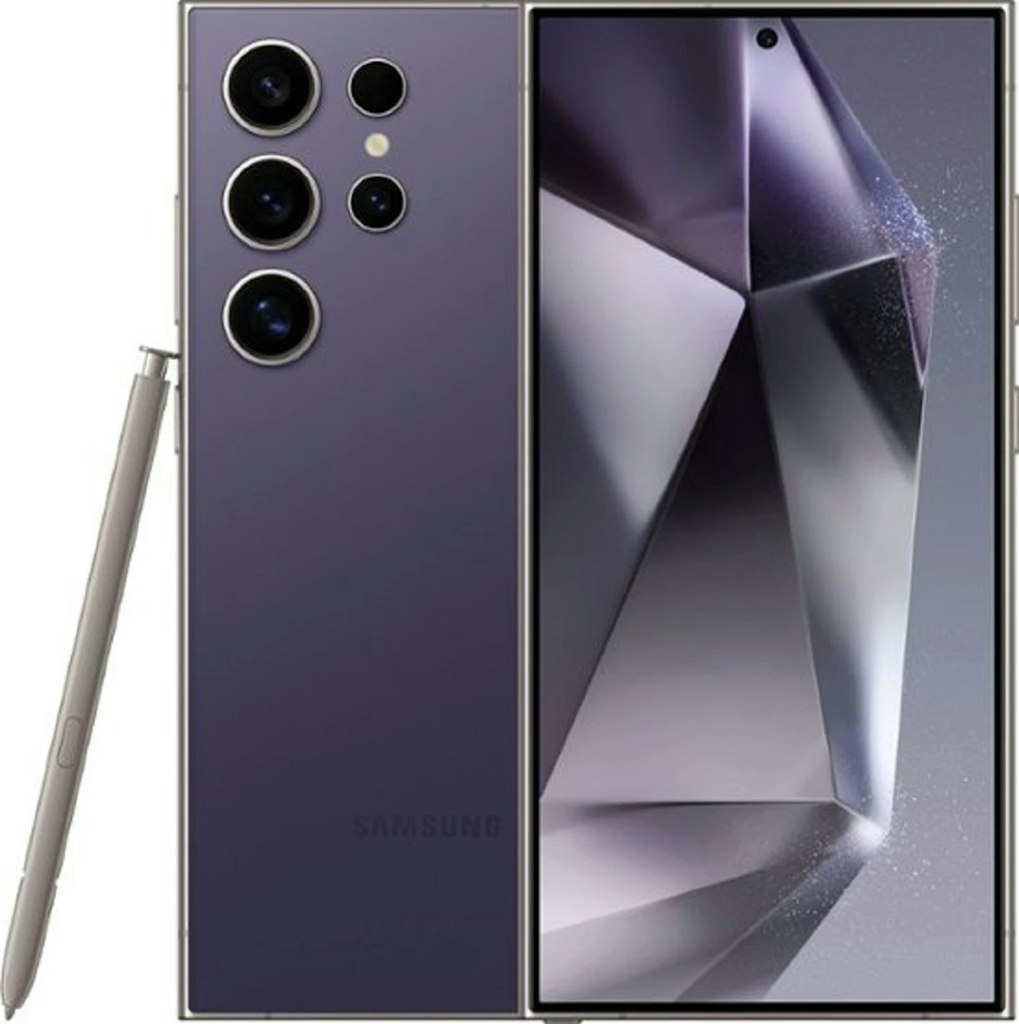
Use promo code "VIPOUTLETMARCH" to drop the price to the lowest we've ever seen. It's a total savings of more than $900 off. The coupon expires on April 1 at 3am ET. Buy Now at eBay
- Qualcomm Snapdragon 8 Gen 3 octa-core processor
- 6.8” dynamic AMOLED display
- Model: SM-S928U

Save on some of the brand's most popular phones, with many also getting free Moto buds wireless earbuds worth $200. We've pictured the Motorola Razr Ultra 1TB Android Phone (2025) + Moto Buds+ Earbuds for $799.99 ($900 savings considering the earbuds). Shop Now at Motorola
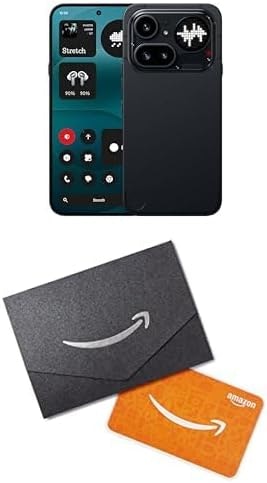
At Amazon, preorder the Unlocked Nothing Phone (4a) Pro 128GB Phone for $499 and get a $100 Amazon Gift Card as a bonus. Taking the gift card into account, you're saving $100 compared to preordering this phone elsewhere. It's due for release on March 27. Buy Now at Amazon
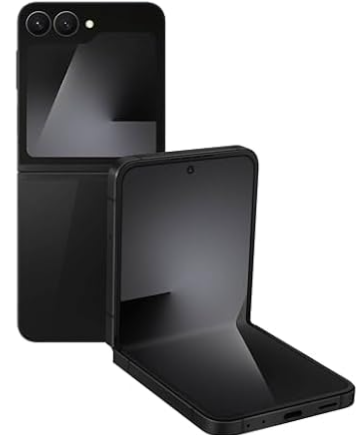
Amazon offers the Unlocked Samsung Galaxy Z Flip7 FE 256GB Phone for $600. That's the lowest price we could find by $340 and the best price we've seen for it. Shipping is free. Buy Now at Amazon
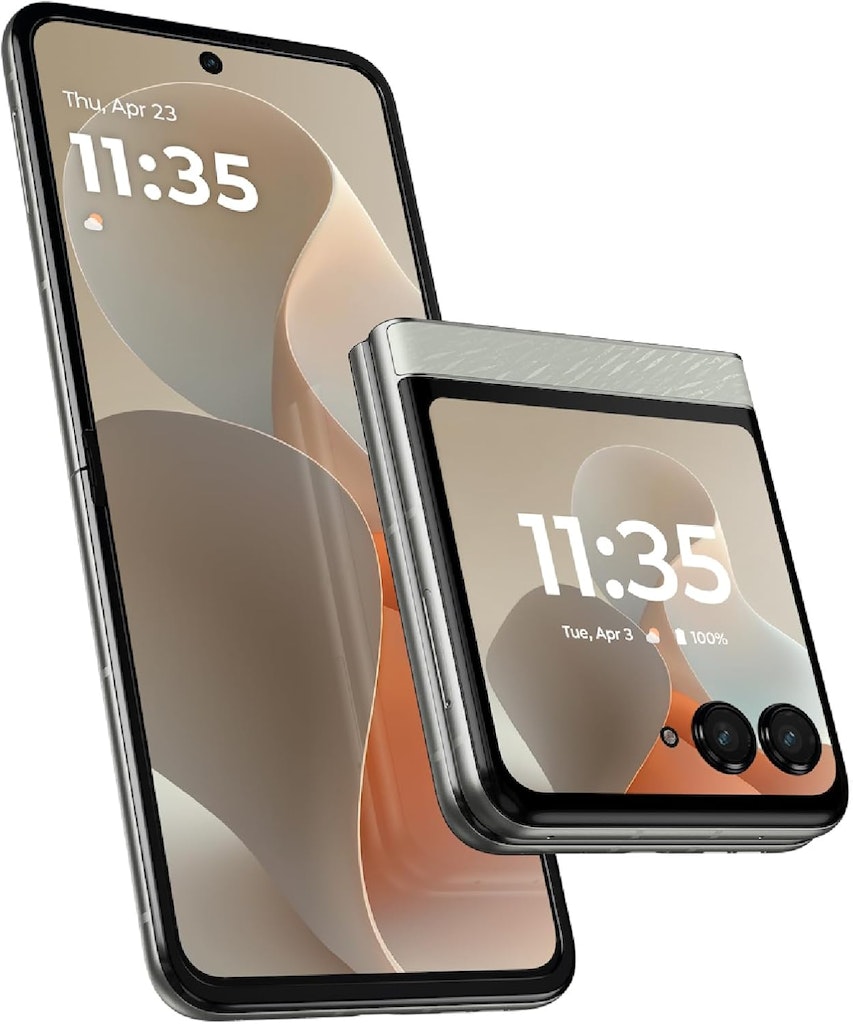
Amazon offers the Unlocked Motorola razr 256GB Phone (2025) in Pantone Lighest Sky at its lowest ever price. You'd pay $600 direct from Motorola or elsewhere. Shipping is free. Buy Now at Amazon
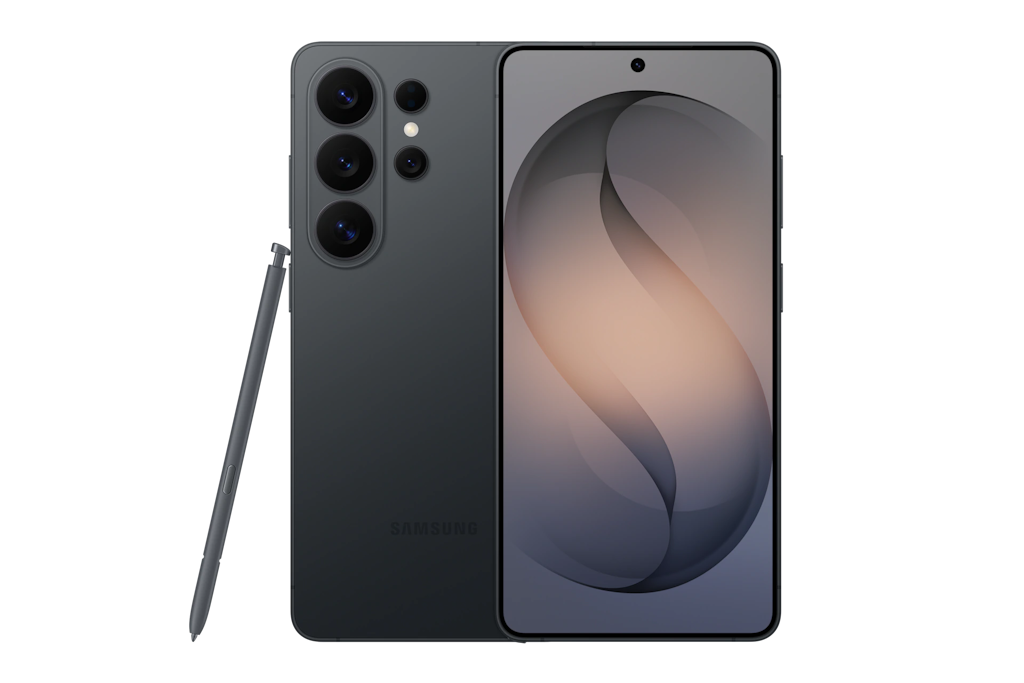
Samsung offer the Unlocked Samsung Galaxy S26 Ultra 1TB Android Smartphone from $1,080, supposing you get the max allowed $720 trade-in credit. Plus, you'll enjoy a $30 Samsung credit to boot. You can use it to add on cases, headphones, and accessories with your purchase. Some terms and conditions apply, and the $30 credit must be used at time of the phone purchase. Free shipping applies. Buy Now at Samsung
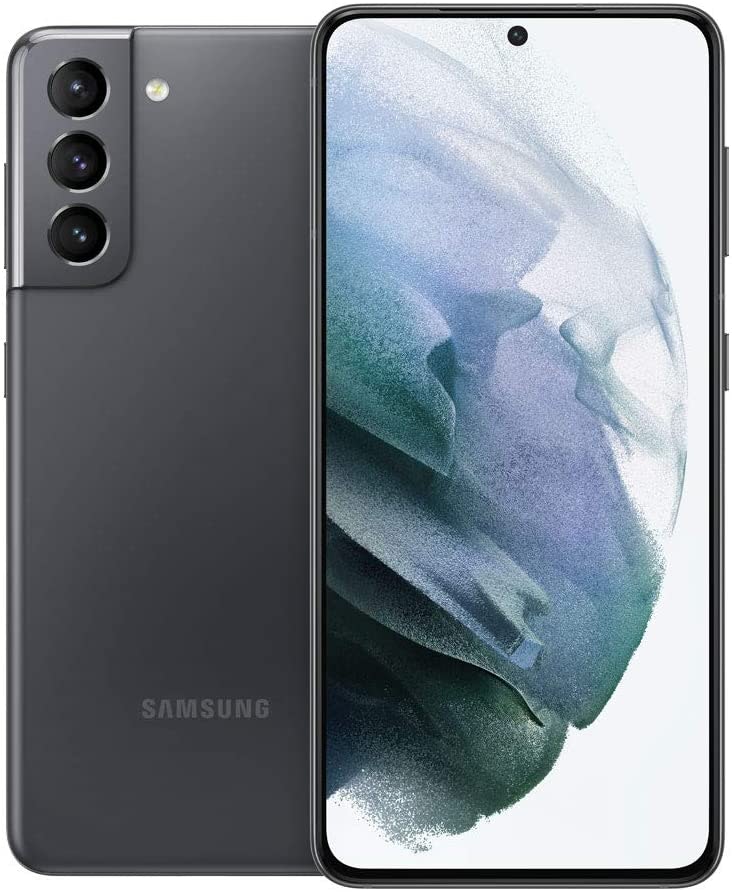
It's the best deal we've seen for an unlocked Samsung Galaxy S21 5G 128GB phone in any condition. It includes a 1-year Allstate warranty. Buy Now at eBay
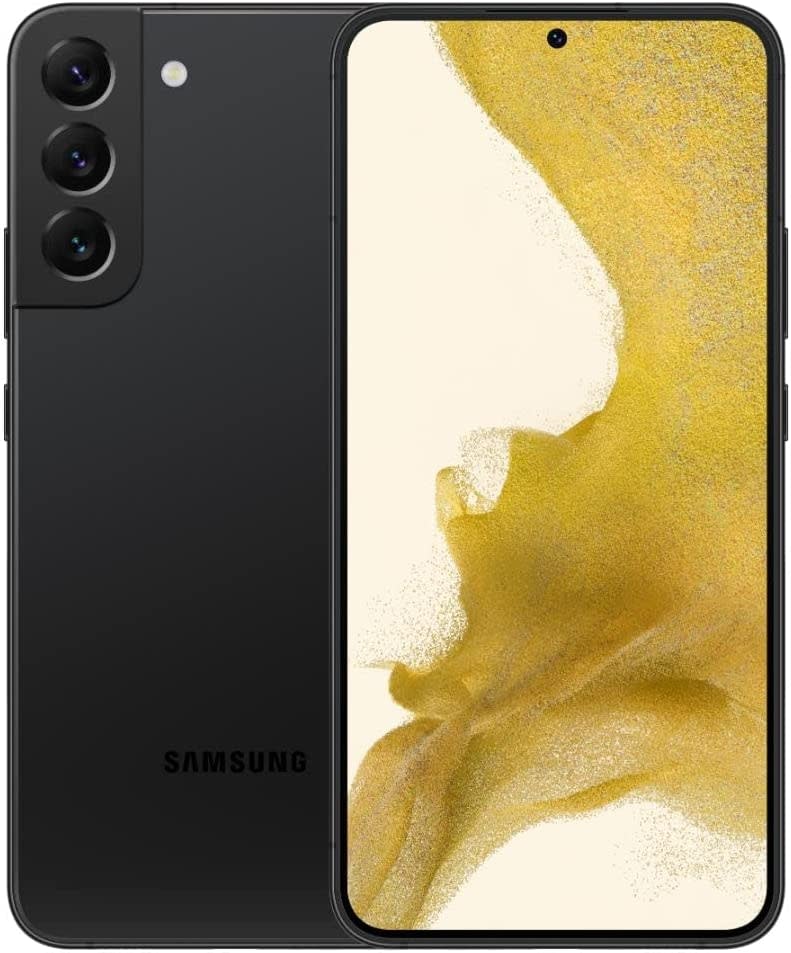
That's the lowest price we've ever seen on this one. A 1-year Allstate warranty applies. Buy Now at eBay
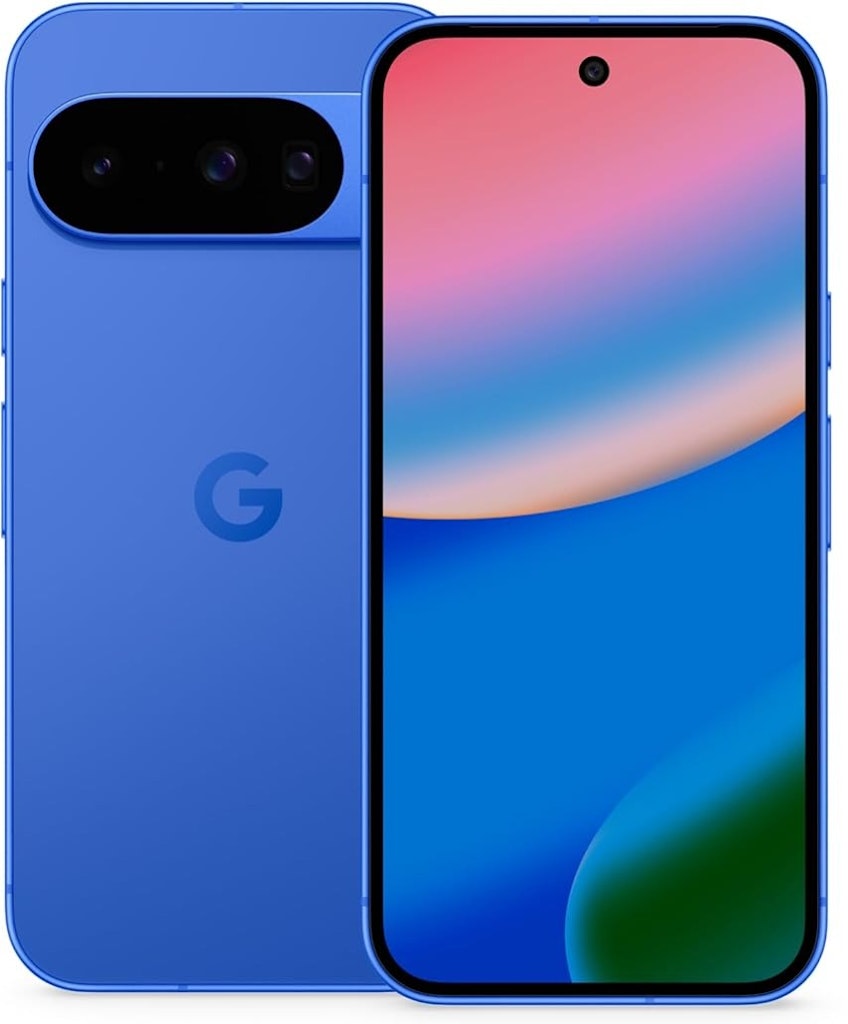
Mint Mobile offers the Google Pixel 10 128GB Android Smartphone for $299 (reduced from $799) when bundled with the purchase of a 12-month Unlimited Plan for $15 per month. An upfront payment for the plan is required. Buy Now at Mint Mobile
- unlimited talk & text
- high speed data
- free mobile hotspot (up to 20GB/mo)
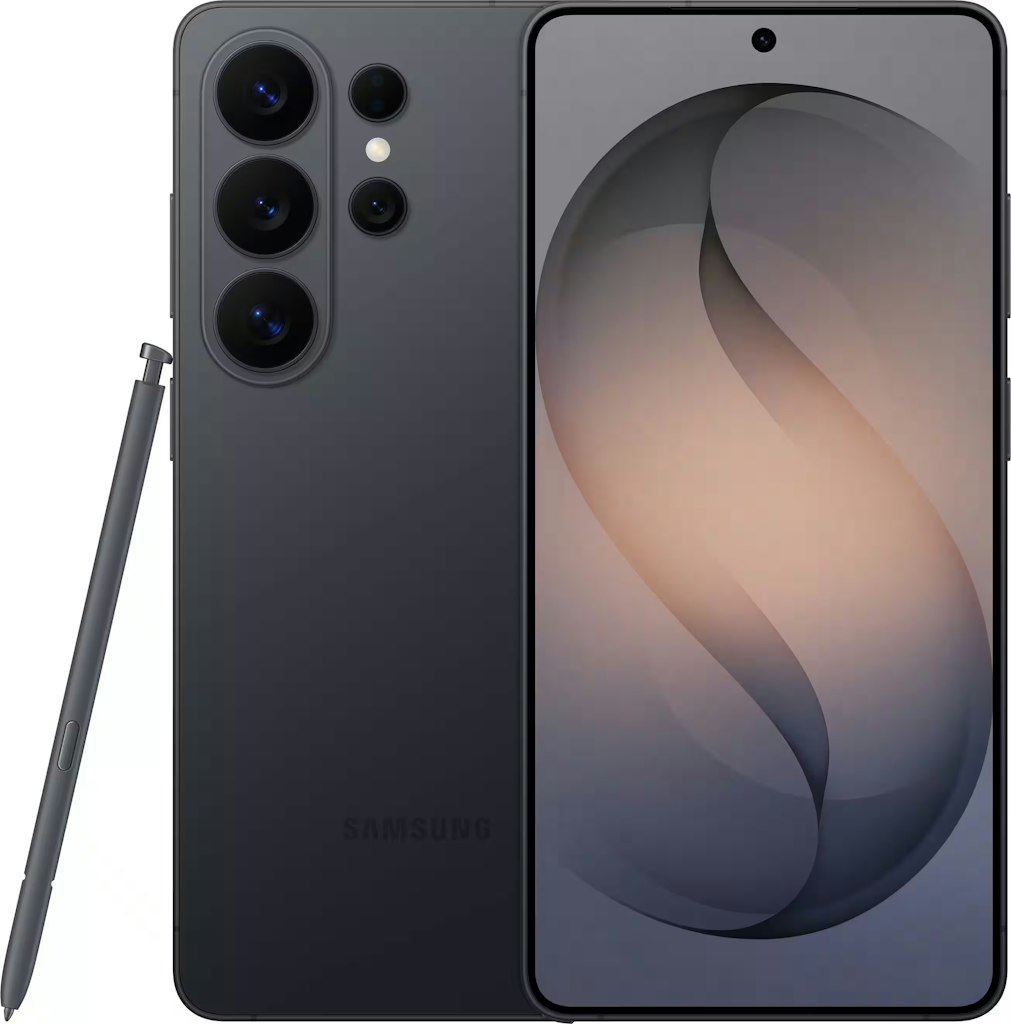
Score a $200 Amazon Gift card when you purchase the just-released S26 Ultra. Plus, trade in a qualifying older phone to save up to an additional $850. Even better, you can opt for the 512GB version and stack an extra $300 off with trade-in. Terms and conditions apply. Buy Now at Amazon
- 6.9" 3120x1440 AMOLED display
- 12GB RAM; 256GB storage
- 200MP rear-facing camera
- Model: SM-S948UZKAXAA
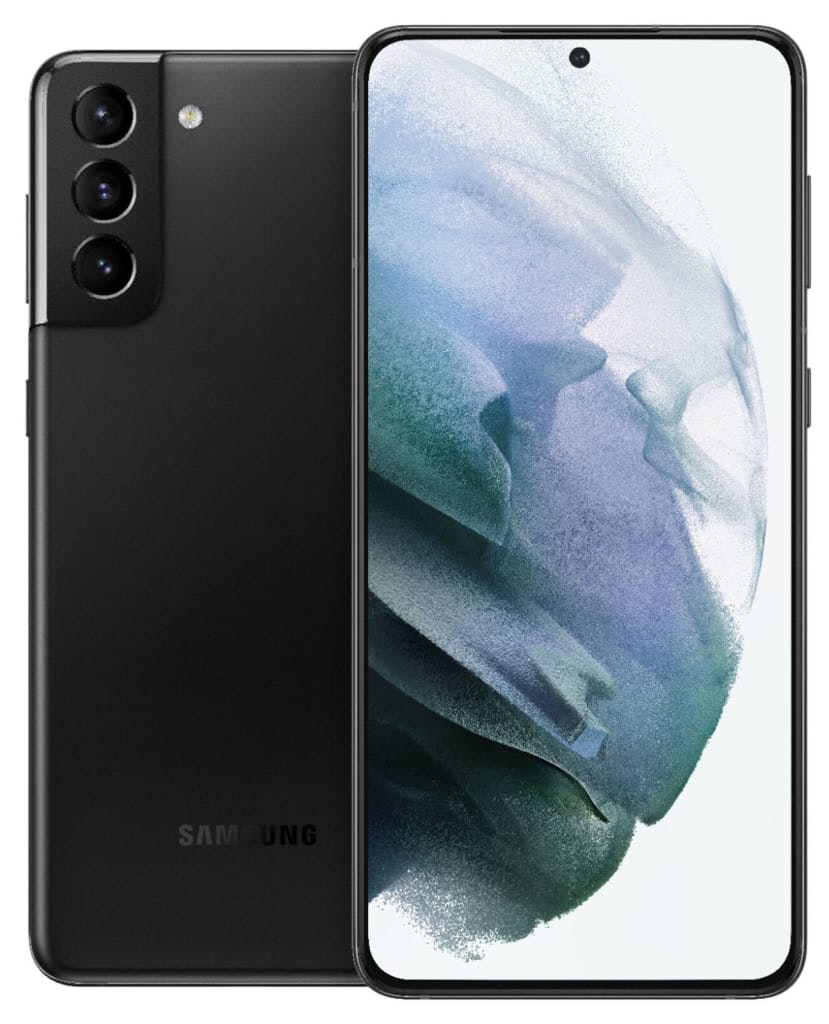
That's just $4 more than the best price we've ever seen for this phone, and the lowest price we could find today for a refurb for $146. It comes with a 1-year Allstate warranty. Buy Now at eBay
- 5G, Bluetooth, GPS, NFC, USB Type-C, Wi-Fi
- Model: SM-G996U
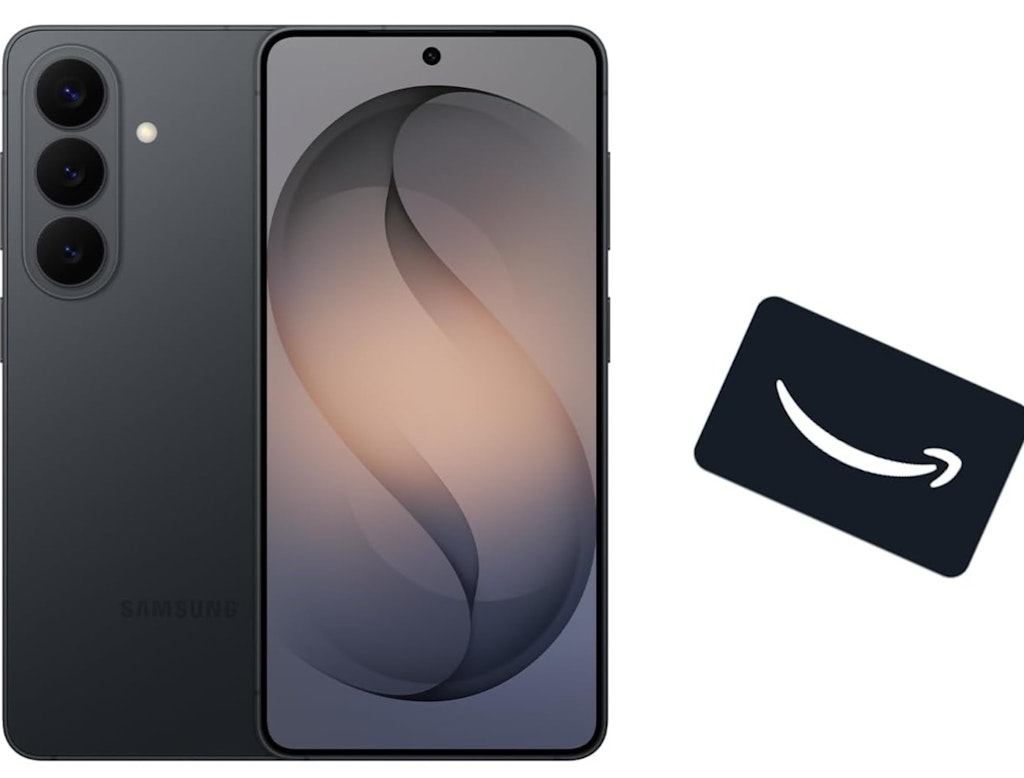
Taking the included $100 Amazon gift card into account, it's the best deal we've seen so far for the recently-announced Samsung Galaxy S26 512GB AI Phone. You can save even more by trading in an old deveice. This drops the starting price to just $350 before the gift card. Buy Now at Amazon

It's the best-ever price we've seen for an Unlocked Google Pixel 8 Pro 256GB phone. It's also a low for a refurb today by $42. It includes a 1-year Allstate warranty. Buy Now at eBay
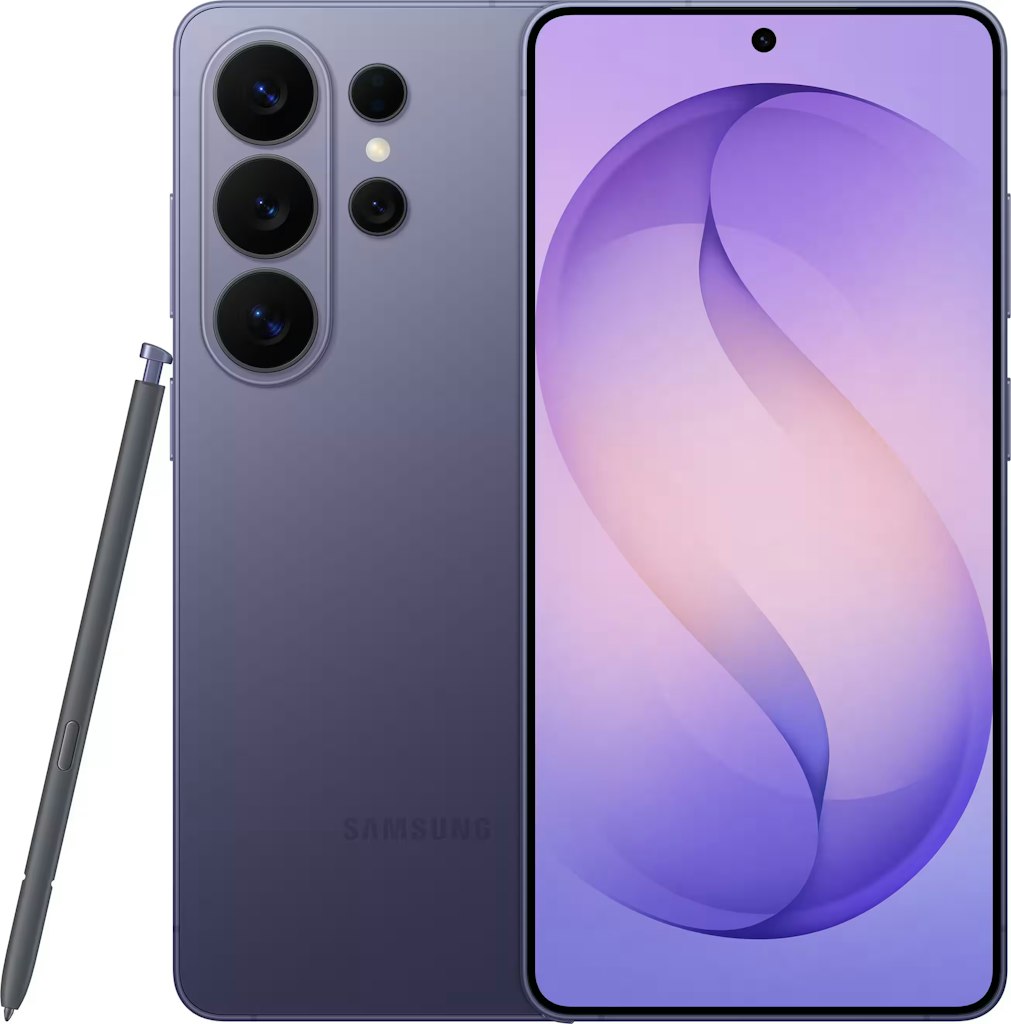
Double your phone's storage for free when picking up the newest Samsung flagship directly from Samsung - you'll get 512GB for the price you'd pay for the 256GB model elsewhere - and 1TB for what others are charging for the 512GB. Plus, trade in a qualifying phone to save up to $720, and you'll also get $30 Samsung credit to add on cases, headphones and acceesories with your purchase. Some terms and conditions apply, and the $30 credit must be used at time of purchase. Buy Now at Samsung
- 6.9" AMOLED display
- 12GB RAM; 512GB storage
- 200MP rear camera
- Android 16
- Model: SM-S948UZKEXAA
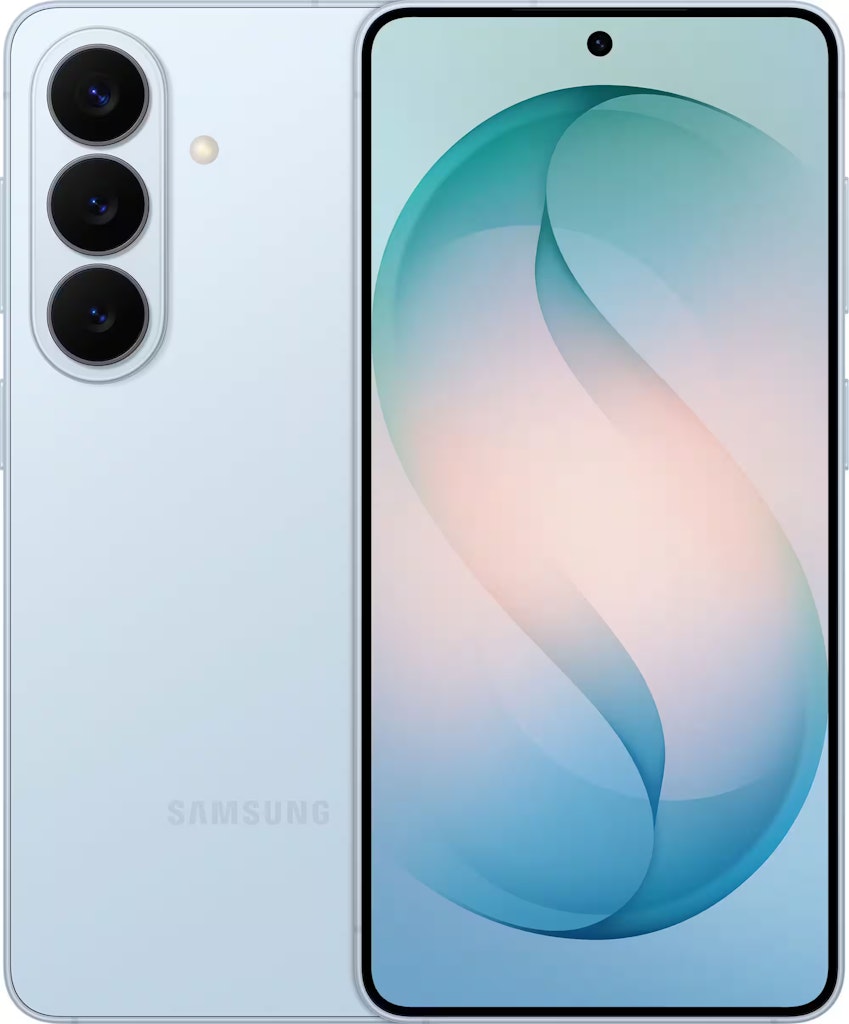
Order the newest Galaxy S26 directly from Samsung and you can get the 512GB version for the same price as the 256GB model - $200 less than other stores. Plus, you'll receive $30 Samsung credit - to be used at anything on Samsung, and can save up to $480 with qualifying trade-ins. Some terms and conditions apply, and the $30 credit must be used at the same time when buying your phone. Buy Now at Samsung
- 6.3" 2340x1080 AMOLED display
- 12GB RAM; 512GB storage
- 50MP rear camera
- Android 16
- Model: SM-S942UZKFXAA
Score a $100 Best Buy gift card when you pick up this brand new Samsung flagship. Plus, qualifying trade-ins can save up to an extra $900. Terms and conditions apply. Buy Now at Best Buy
- 6.9" 3120x1440 AMOLED display
- 12GB RAM; 256GB storage
- 200MP rear-facing camera
- Model: SM-S948UZKAXAA
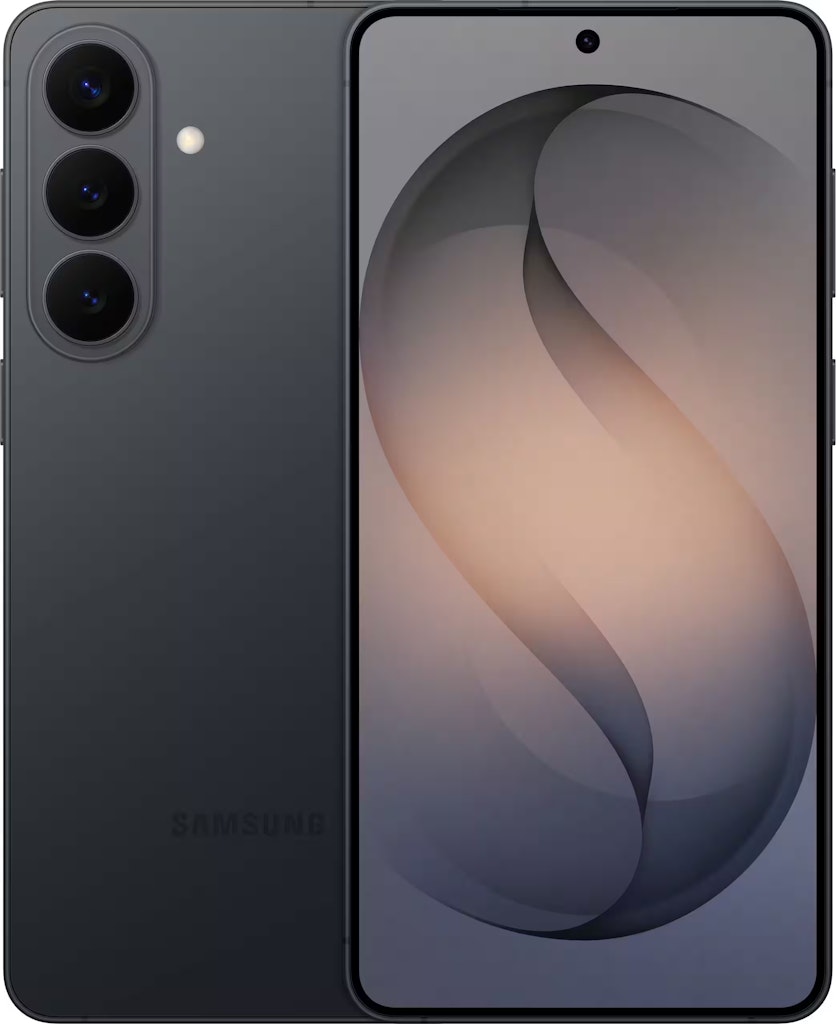
Score a $100 Amazon Gift Card when you buy the just-released Galaxy S26+. Plus, if you trade in an old device, you can save up to an additional $950. Terms and conditions apply. Buy Now at Amazon
- 6.7" 3120x1440 AMOLED Display
- 12GB RAM; 256GB Storage
- 50MP rear camera
- Android 16
- Model: SM-S947UZKAXAA
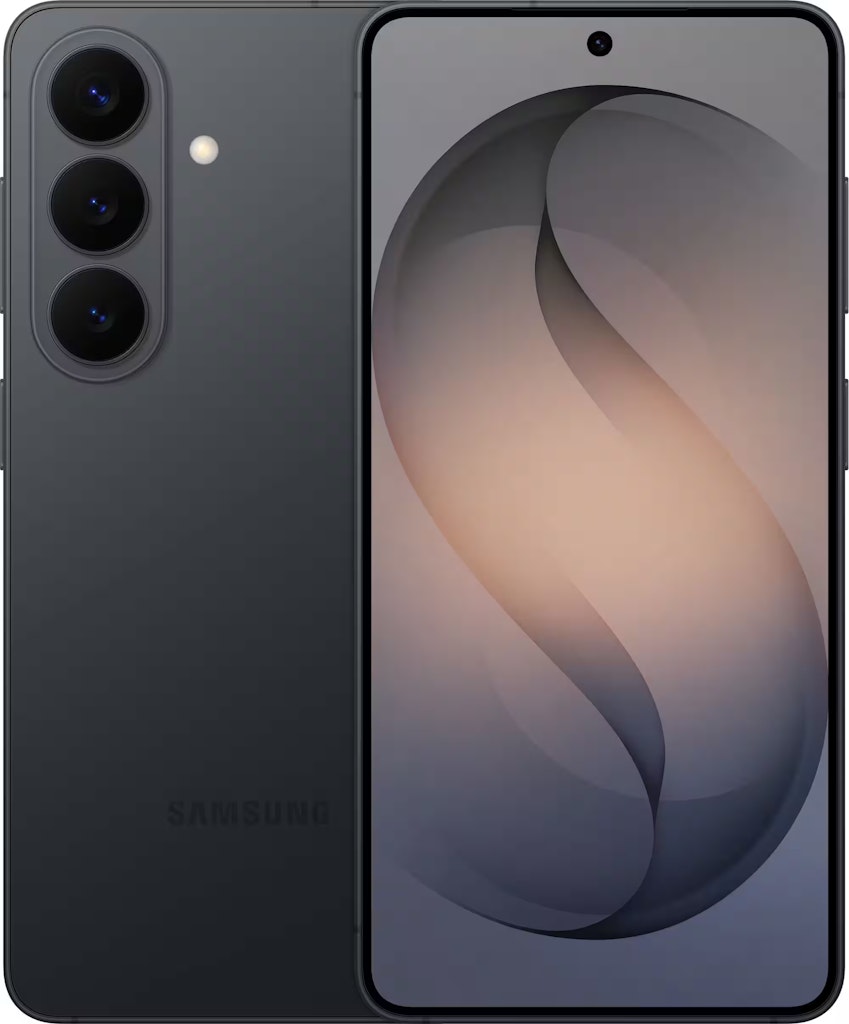
Score a $100 Amazon Gift Card when you buy the just-released Samsung Galaxy S26. Plus, if trading in an old phone, you'll get an extra $100 off and can save up to an extra $650. Qualifying terms and conditions apply. Buy Now at Amazon
- 6.3" 2340x1080 AMOLED display
- 12GB RAM; 256GB Storage
- 50MP rear camera
- Android 16
- Model: SM-S942UZKEXAA
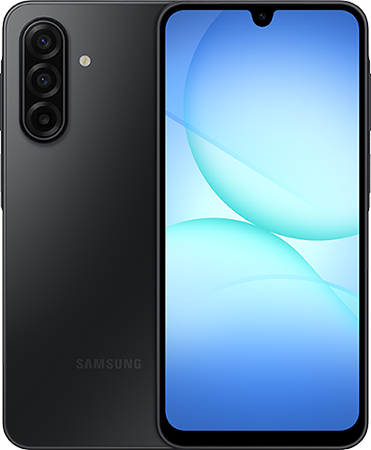
Mint Mobile offers the Samsung Galaxy A17 5G 128GB Android Phone for $20 along with a year of Unlimited for $15 per month. This plan features unlimited talk and text, mobile hotspot, and 98% 5G coverage. Buy Now at Mint Mobile
- 6.7" FHD+ Super AMOLED display at 90Hz with 1080 × 2340 resolution
- Rear cameras: 50MP, 5MP, 2MP; front camera: 13MP
- Exynos 1330 octa-core processor (2.4GHz + 2.0GHz) with Android 16
- 128GB storage, expandable up to 2TB via microSD
- 5,000mAh battery with 25W fast charging
- 5G connectivity with dual Nano-SIM support
- You can also get the Samsung A16 for $1 along with a year of Unlimited for $15 per month.
Samsung has undergone a radical transformation, moving from a traditional hardware manufacturer into a global leader in AI-integrated mobile technology. The "Galaxy" brand is no longer just a line of smartphones; it has become the gold standard for mobile performance, high-design ergonomics, and generative productivity. By expanding into category-defining foldables like the Z Fold7 and S-series flagships powered by Galaxy AI, Samsung has created a multi-device synergy that allows for desktop-class computation via Samsung DeX. By leveraging verified Samsung Android promotions alongside aggressive carrier incentives and a robust factory-refurbished market, shoppers can secure flagship-level tech at competitive entry points. The platform fosters a massive global community through its high trade-in valuations and long-term software support, making it the premier destination for those looking to invest in a reliable and intelligent digital infrastructure.
The primary value proposition of the Samsung mobile ecosystem lies in its aggressive hardware acquisition strategy. While big-box retailers often require full retail price upfront, Samsung consistently lowers the barrier to entry through its proprietary "Enhanced Trade-In" system and "Storage Double" promotions. Beyond hardware availability, Samsung offers a competitive total cost of ownership through specialized educational and professional storefronts. For the consumer, Samsung provides the convenience of sourcing the device, the wearables, and the protection plan from a single provider, often undercutting standard verified AT&T mobile promotions through direct manufacturer rebates and instant credits that do not require 36-month commitments.
Top Samsung Categories to Watch for Discounts
Samsung's mobile inventory rotation is meticulously engineered around high-volume technical cycles and aggressive seasonal clearouts. Unlike competitors that maintain rigid pricing throughout the year, Samsung utilizes a "price-laddering" strategy to move existing stock before the next generation of processors and AI features arrive. By identifying which technical tiers are currently in a promotional phase, shoppers can secure flagship-level performance for a mid-range budget. Based on DealNews historical data and recent inventory surges, these are the high-yield categories for maximizing your Samsung mobile budget.
Galaxy S-Series Flagships: The Core of Trade-In Arbitrage
The Galaxy S-series slabs—comprising the Ultra, Plus, and Base models—represent the premium core of the mobile marketplace and the primary target for Samsung's most aggressive promotions. During major windows such as Black Friday and new hardware launches, we consistently see total savings reach up to $1,120 when utilizing an eligible trade-in. A hallmark of this category is the "Double Your Storage" promotion, a strategic incentive where the 512GB model is priced identically to the 256GB version, representing an instant $120 saving that requires zero hardware swap. For those looking for the absolute peak of Android performance, the Ultra series is the best target for "Enhanced Trade-In" values, which often provide significantly more than the open-market resale value for older devices to encourage users to stay within the high-end ecosystem.
Galaxy Z-Series: Foldable Innovation and Rapid Liquidation
The Z-Series defines the foldable category, offering massive screen real estate through the Z Fold and pocketable portability through the Z Flip. Because foldable technology is still evolving rapidly, these devices see higher depreciation rates than standard slabs, which deal hunters can exploit for massive gains. Shoppers can frequently find up to $1,500 off Z-Fold models when combining manufacturer rebates with instant credits. For those seeking the absolute price floor, the Woot Advantage is critical; the Amazon-owned liquidator frequently runs "Samsung Galaxy Events" where refurbished Z-Flip models drop to as much as 84% off MSRP. This is the premier category for enthusiasts who want to "test drive" the future of mobile form factors without the standard thousand-dollar financial risk.
Galaxy FE (Fan Edition) Series: The Strategic Mid-Range
The FE series serves as a vital entry point to the flagship world, distilling "fan-favorite" features like high-refresh-rate AMOLED displays and robust battery life into a more accessible price point. Recent DealNews trackers have highlighted the Samsung Galaxy S25 FE for as low as $510 (down from a $710 list price) and S23 FE units for under $400. These devices are the primary targets for "Back-to-School" and "Dads and Grads" sales because they offer flagship processing power for a mid-range budget. Strategic shoppers should treat the FE series as the "ROI King," as these devices often receive the same multi-year software support as the premium S-series but at a 30% to 50% lower initial investment.
Samsung Certified Re-Newed (CRN): Factory Standards vs. Marketplace Risk
The Samsung Certified Re-Newed marketplace is a factory-vetted alternative that effectively removes the gamble associated with second-hand tech. Unlike "Used" or "Seller Refurbished" items found on unverified marketplaces, CRN devices undergo a rigorous 147-point inspection by the same engineers who built them. We frequently see refurbished S24 Ultra units at up to $342 off MSRP. The primary technical advantage here is that each phone is fitted with a genuine brand-new battery and assigned a unique IMEI. Backed by a full one-year manufacturer warranty, these units provide a "ready-state" experience that is indistinguishable from new hardware, making them the superior choice for buyers who want flagship specs with retail-grade protection.
Galaxy A-Series: The Absolute Price Floor for 5G
For users who prioritize essential utility—such as long battery life and expandable storage—over high-computation AI features, the Galaxy A-Series represents the best media-consumption value. These devices are designed for high-bandwidth 5G connectivity at an entry-level cost. Models like the Galaxy A56 and A36 are frequently featured in "Staff Picks" when their price drops into the $199 to $349 range. While they may lack the titanium frames of the S-series, they offer a reliable and modern mobile infrastructure for students, seniors, or as dedicated secondary lines for business.
Galaxy Tab S-Series: High-Performance Mobile Workstations
Samsung has successfully bridged the gap between mobile and desktop computing with the Galaxy Tab S-series. These tablets, particularly the Ultra models with 14.6-inch displays, act as a natural extension of your mobile workspace via Samsung DeX. During proprietary "Discover Samsung" events, we consistently see up to $800 off flagship tablets with an eligible trade-in. A major "hidden" deal in this category is the inclusion of the S-Pen in the box, a tool that competitors often sell as a $130 add-on. By treating a discounted tablet as a secondary workstation, you can effectively eliminate the need for a separate laptop, representing a significant saving on your total personal technology budget.
Ecosystem Wearables: Buds and Watches
To fully realize the potential of the Galaxy ecosystem, deal hunters should monitor the "Ecosystem Stack." Samsung's audio and health gear, including the Galaxy Buds3 Pro and Galaxy Watch series, are the most frequent subjects of "Instant Credit" offers. Standout deals have featured the Buds3 Pro at $70 off MSRP or bundles where purchasing a phone unlocks a free protective case. Pro-shopper logic suggests never buying Samsung audio or watches at full price; instead, wait for a smartphone upgrade window to use your promotional credits to "buy" these accessories at an effective $0 out-of-pocket cost.
Comparing Android Savings Across Key Retailers
Choosing where to purchase your next Samsung device requires a careful balancing act between the immediate upfront cost of the hardware and the long-term flexibility of your mobile data plan. While some shoppers prefer to pay a higher price today to maintain absolute carrier freedom, others prioritize the massive hardware subsidies provided by major networks that can drive the initial cost down to zero. Each of these retailers utilizes a different promotional lever—ranging from 36-month bill credits to technical "Combo Up" markdowns—that caters to a specific financial strategy.
Android Retailer Comparison Table
|
Retailer |
Primary Deal Type |
Key Benefit |
Risk/Effort Level |
|
Samsung Direct |
Trade-In and Verification |
Highest instant credit; student/hero deals. |
Low (Direct OEM support). |
|
AT&T |
Bill Credits / Subsidies |
Flagships for $0 with 36-month lock-in. |
High (Long-term commitment). |
|
Verizon |
Ecosystem Stacking |
High-value entertainment bundles (Disney+). |
High (Contractual commitment). |
|
Newegg |
Technical Sales |
Freedom from carrier locks; tech-spec focus. |
Low (Detailed hardware filtering). |
|
AliExpress |
Factory Direct |
Absolute price floor for unbranded accessories. |
High (Shipping times; quality varies). |
Samsung Direct: The Ecosystem Value Leader
Samsung's official storefront is the primary destination for shoppers who want the absolute lowest price on unlocked hardware without the interference of a carrier middleman. The platform excels at providing exclusive Samsung Direct Android phone discounts through its specialized "Offer Programs," where verified students, teachers, military members, and first responders can save up to 30% sitewide. Unlike major carriers, Samsung prioritizes "Instant Trade-In" credits rather than spreading savings over several years of bill credits. Furthermore, the Shop Samsung App frequently features exclusive incentives, such as an immediate $50 discount on your first $500 purchase, providing an immediate ROI that rival retailers rarely match.
AT&T: The Subsidy Specialist
AT&T targets the segment of the market that prioritizes owning the newest flagship technology with zero upfront hardware costs. Unlike Samsung's focus on one-time buyouts, the carrier utilizes verified AT&T mobile promotions that leverage 36-month installment agreements and aggressive bill-credit subsidies. By trading in a qualifying older device—even one in "any condition"—shoppers can often secure a $1,000 flagship for an effective monthly cost of $0. While this represents the lowest entry point for the newest tech, it requires a significant three-year commitment to their network, which can be less flexible than buying unlocked units if you wish to change plans or travel abroad with a local SIM.
Verizon: The Lifestyle Integration Hub
Verizon competes in the Samsung space by offering some of the most aggressive "lifestyle" incentives in the industry. Similar to other legacy carriers, they rely on 36-month installment terms, but they differentiate through official Verizon smartphone deals that include high-value entertainment bundles. For households that want to kit out multiple family members under a single bill, Verizon provides a streamlined path that often includes services like Disney+, Hulu, and ESPN+ at no additional out-of-pocket cost. This model is ideal for users who treat their mobile plan as an all-in-one entertainment expense rather than just a data utility.
Newegg: The Technical Professional's Hub
Newegg applies its deep expertise in computer hardware to the mobile sector, serving as the top choice for power users who demand technical granularity and unlocked freedom. By browsing Newegg technical Android phone promotions, shoppers can find high-refresh-rate Galaxy models and mobile workstations featuring detailed specifications on RAM and cooling that generalist retailers often overlook. Newegg is particularly effective for those who want to own their hardware outright and avoid carrier-installed bloatware; their "Combo Up" deals frequently allow users to bundle a new smartphone with professional-grade chargers or high-capacity power banks for a lower total price.
AliExpress: The High-Volume Accessory Bazaar
AliExpress functions as a global clearinghouse for tech users who prefer to source their own protective gear and modular components directly from the manufacturing pipeline. Shoppers can frequently discover discounted AliExpress Samsung peripherals for items like screen repair kits, niche connectors, and basic TPU cases that are often unavailable or significantly more expensive in domestic retail stores. While the savings on items like braided cables can be staggering—sometimes dropping to under $2—deal hunters must be prepared to navigate variable international shipping times. This platform is ideal for those looking to "fix" an older device or kit out a secondary phone rather than buying a primary flagship.
The Samsung Android Buying Calendar: Strategic Timing
In the fast-moving world of Android hardware, timing your purchase is just as critical as the device specs you select. Because Samsung functions as a primary manufacturing titan, they follow a highly predictable promotional rhythm designed to clear out existing inventory before the next technical iteration arrives. By aligning your upgrade with these seasonal windows, you can effectively avoid the "launch-day premium" and secure flagship technology at its absolute price floor.
The "Unpacked" Launch Waves: Pre-Order Dominance (February and August)
The most lucrative time to buy a brand-new Samsung flagship is during the two weeks immediately following a Samsung Unpacked event. Historically, Samsung launches its S-series slabs in February and its Z-series foldables in August. During these pre-order windows, the manufacturer launches its most aggressive "Enhanced Trade-In" values. This is often the only time you can consistently receive between $750 and $1,000 in instant credit for an older device. Furthermore, these waves almost always include a "Storage Double" promotion, where you can secure a 512GB model for the price of a 256GB unit—a $120 instant value—alongside a pre-order credit that effectively zeros out the cost of Galaxy Buds or a SmartWatch.
Discover Samsung Sales: The Mid-Cycle Refresh (March and September)
Occurring twice a year, these week-long proprietary events serve as Samsung's massive mid-year inventory resets. Discover Samsung is the premier window for "No-Trade" shoppers to find direct MSRP cuts. While launch windows focus on hardware swaps, these events offer broad markdowns of up to 45% on major mobile tech and technical peripherals. Because these sales fall during the traditional "shoulder seasons" for retail, Samsung often includes "Daily Offers" that feature 24-hour price lows on Certified Re-Newed hardware, providing a safe path for those who prefer to buy their technology outright without being tethered to a 36-month carrier installment plan.
Black Friday and Cyber Monday: The Ultimate Ecosystem Clearout
The late-November corridor is the premier window for Ecosystem Bundling. This is the only time of year when Samsung allows shoppers to stack institutional discounts with 50% or deeper discounts on wearables and audio gear. During this window, we frequently track "Add-on" deals where purchasing a new smartphone allows you to secure a Galaxy Tab or Watch for nearly $0. For households kitting out multiple users, the week of Thanksgiving offers the highest total value, often combining retail markdowns with "Buy 2, Get 1" style logic that frequently undercuts even the deepest wholesale clearance rates.
The Spring and Summer Appreciation Windows (May – August)
Beyond the major flagships, deal hunters should monitor the windows leading into Mother's Day, Father's Day, and the Back-to-School season. These windows are primarily targeted at the Galaxy A-series and FE models, which are the workhorses of the Samsung lineup. During these months, Samsung frequently utilizes "Bundle and Save" mechanics, offering a free pair of Galaxy Buds3 or a protective case with the purchase of a mid-range device. For students heading to campus, the August window is particularly lucrative, as the educational discount often swells from its standard rate to a massive 20% or 30% reduction.
Key Strategies for Maximizing Samsung Android Savings
To secure a true DealNews-level win on Samsung hardware, you must move beyond the standard price tag and master the brand's unique technical and financial loopholes. Samsung rewards users who utilize their digital ecosystem, offering "invisible" rebates and hardware-saving features that can reduce the total cost of ownership by hundreds of dollars. By understanding these technical and promotional pillars, you can maximize your ROI on every technical purchase.
The Shop Samsung App: Immediate Mobile Rebates
Before finalizing a major purchase on a desktop browser, deal hunters should always download the Shop Samsung App. Samsung is aggressive about driving mobile traffic and frequently offers an exclusive incentive of $50 off your first $500 purchase made exclusively through the app. This acts as an immediate 10% rebate that can be stacked on top of already-discounted "Daily Deals." For a shopper purchasing an unlocked $1,300 flagship like the S24 Ultra, this five-minute app installation covers the cost of an official leather cover or a 45W fast-charging kit.
Enhanced Trade-In Arbitrage: Turning Obsolete Tech into Gold
Samsung's trade-in system is the most flexible in the industry, often featuring "Guaranteed Minimum" credits. During promotional surges, Samsung will frequently offer $200 to $350 in credit for any smartphone in "any condition," provided it is on their approved list. Deal hunters often exploit this by purchasing a broken, older flagship on a secondary marketplace like AliExpress for $30 and trading it in at Samsung for a 10X return on investment. This "arbitrage" strategy is the most consistent method for driving the price of a brand-new S-series phone below the $500 mark without a carrier contract.
Samsung DeX: The High-Performance Hardware Hack
One of the most effective ways to "save" money at Samsung is by not buying a traditional laptop at all. Samsung DeX is a desktop-emulation software built into premium Galaxy phones and tablets. By connecting your device to a monitor and keyboard, DeX creates a full desktop-class experience that supports multi-window multitasking and professional apps. For many students and remote professionals, a high-spec Galaxy S25 or Tab S11 running in DeX mode provides more utility than a mid-range PC. Utilizing this feature can effectively eliminate the need for a separate $500 laptop purchase, representing one of the highest technical returns on investment in the industry.
Institutional Stacking: Professional Offer Programs
Beyond public sales, Samsung provides an aggressive "verified-identity" program for specific groups. By verifying your status through the ID.me portal, military members, veterans, first responders, and students can access the Samsung Offer Program, which provides up to 30% in additional savings. The critical detail for deal hunters is that these discounts almost always stack with existing public sales. By utilizing your "Hero" discount during a Black Friday event, you can secure high-performance technical powerhouses—like the Galaxy Z Fold series—at price points that undercut even the deepest wholesale clearance rates.
Digital Credit Stacking: Managing Cash Back and Referral Bonuses
The most advanced deal hunters treat the price on the screen as only the first layer of savings. Unlike other manufacturers, Samsung is frequently a participant in high-value cash-back events. By using a platform like Rakuten or RetailMeNot, shoppers can often find 10% to 15% cash back offers that stack with Samsung's own markdowns. Furthermore, current users can generate their own discounts through the Refer-a-Friend program, where referring a new user nets you a promo code for up to $100 off your next order. By managing these digital credits, you can effectively "fund" your ecosystem accessories—like the Galaxy Ring or SmartTags—for zero out-of-pocket cost.
Software Update Longevity: The 7-Year ROI Plan
A major component of long-term savings is the Software Update Commitment. Samsung has committed to offering up to seven years of OS and security updates on its latest flagship models. For the deal hunter, this technical standard is a financial win; a device that stays updated longer maintains a significantly higher trade-in value four years down the road. By investing in a device with a long software tail, you are essentially protecting the "down payment" for your next upgrade, ensuring that your hardware investment remains a high-value asset rather than a depreciated liability.
Samsung Android Phone Savings: Frequently Asked Questions
Navigating the Samsung ecosystem for deals requires a specialized understanding of how the brand balances hardware pricing with digital ecosystem rewards. Unlike traditional retailers that rely solely on clearing warehouse shelves, Samsung utilizes a blend of digital credits, institutional discounts, and trade-in arbitrage to drive value. Below are the most common questions deal hunters ask when looking to build a high-performance Samsung infrastructure without overpaying.
Does Samsung Offer a Price Match Guarantee for Galaxy Devices?
Yes, Samsung maintains a highly competitive Price Match Promise designed to ensure you receive the lowest available market rate while still benefiting from the manufacturer's direct warranty and support. If you purchase a Galaxy phone on Samsung.com and find an identical, brand-new product for a lower price at a selected authorized online retailer (such as Amazon, Best Buy, or Walmart) within seven days of your purchase, Samsung will refund the difference. This policy is a vital tool for deal hunters because it allows you to secure the superior technical support and "OEM-certified" shipping of Samsung Direct without the anxiety of a sudden post-purchase price drop elsewhere in the retail market.
How Do I Access the Specialized Student and Hero Offer Programs?
To unlock up to 30% in additional savings, you must visit the dedicated Samsung Offer Program portal and verify your identity through the ID.me platform. This program provides a permanent price floor for students, teachers, active-duty military, veterans, and first responders. Once your status is verified, the specialized "Hero" pricing is applied automatically to your account. The most significant strategic advantage of this program is that these discounts almost always stack with existing public sales. By utilizing your verified status during a Black Friday event or a "Discover Samsung" rollback, you can often secure high-end technical powerhouses—like the Galaxy Z Fold series—at price points that undercut even the deepest wholesale clearance rates.
Can I Use Samsung Rewards Points Like Cash to Lower My Bill?
Yes, and for frequent technical buyers, the Samsung Rewards program functions as a high-value secondary currency. You earn points on every eligible purchase made through the Samsung Store or the Shop Samsung App. These points are typically finalized 15 to 30 days after your device is delivered, once the official return window has closed. Once active, these points can be applied as a direct "cash-off" discount at checkout on your next purchase. Strategic deal hunters use a "tiered spending" approach: they earn points on a high-value "anchor" purchase, like a flagship smartphone or a Bespoke appliance, and then use that accrued balance to "pay" for high-margin mobile essentials like Galaxy Buds, SmartTags, or 45W fast-chargers at zero additional out-of-pocket cost.
What are the Official Return Policies for Samsung Mobile Hardware?
Samsung provides a 15-day window to initiate a return request for any order placed through their digital storefront. Once the request is approved, you are granted an additional 15 days to print your prepaid shipping label and mail the hardware back to their fulfillment center, effectively creating a 30-day return cycle. It is critical for mobile users to perform a full factory reset and remove all personal accounts (Google, Samsung, and biometric locks) before shipping. Failure to de-provision the device can lead to significant delays in your refund processing or the rejection of the return entirely. Additionally, be aware that if your phone was purchased as part of a "Duo Deal" or bundle, you may be required to return the free accessories to receive a full refund for the handset.
What is the Technical and Financial Advantage of "Try Now, Pay Later"?
To remove the risk of "platform switching," Samsung offers a unique Try Now, Pay Later incentive through partners like Affirm and Klarna. This program allows you to receive a new device—such as a Galaxy Z Fold or S25 Ultra—and test it for a designated period before your first major installment is due. If you are unsatisfied with the Android experience, you can return the device within the standard window at no cost. If you choose to keep it, you can split the remaining balance into interest-free installments, making premium technical infrastructure accessible to those who prefer to manage their monthly cash flow rather than paying a large upfront sum.
How Do I Secure Free Professional Installation for Ecosystem Devices?
For high-ticket items that integrate with your mobile device, such as the Bespoke refrigerators featuring the Family Hub or 98-inch technical displays, Samsung Direct often includes White-Glove Delivery and Installation. When comparing a Samsung deal to a price at a local big-box store, you must factor in this $150 to $250 in logistical savings. Samsung Direct typically bundles professional unboxing, room-of-choice placement, and the haul-away of old units for zero additional cost during major holiday sales. For the deal hunter, this "invisible" rebate often makes buying direct significantly cheaper than purchasing from a warehouse that charges extra for heavy-freight shipping.
Is it Better to Buy Unlocked or a Carrier-Branded Model from Samsung?
Samsung.com offers both "Factory Unlocked" and carrier-branded models (Verizon, AT&T, T-Mobile), and the best deal depends on your service flexibility. Choosing a carrier-branded version often unlocks additional "Activation Discounts" that can shave an extra $100 off the upfront price. However, these phones are software-locked to that specific provider. If you prioritize travel and the ability to use international SIM cards, the Factory Unlocked version is the superior long-term deal. It contains no carrier bloatware and typically retains a higher resale value, ensuring your hardware remains a versatile asset rather than a locked liability.
Are "Samsung Certified Re-Newed" Devices Genuinely Safe to Buy?
For shoppers who want the absolute price floor on premium hardware, the Samsung Certified Re-Newed (CRN) program is an excellent strategic choice. These are not simple "used" units; they are factory-refurbished devices that have been inspected by the original engineers, equipped with a genuine brand-new battery, and assigned a new IMEI. These units carry the same one-year limited warranty as a brand-new machine and are eligible for Samsung Care+. For a typical 30% to 50% discount, this program offers a much higher ROI than the "as-is" risks of the private used market, especially for high-ticket items like the Galaxy Ultra series.
Can I Trade in an Older, Cracked Device for Full Credit?
One of Samsung's most aggressive acquisition tools is the "Any Condition" trade-in standard. During specific promotional surges—typically during the February and August launch windows—Samsung will offer a guaranteed minimum credit (often $200 to $400) for devices with cracked screens or failing batteries, provided they still power on. Deal hunters often exploit this by purchasing a broken, older flagship on a marketplace like AliExpress for a small sum and trading it in at Samsung for a massive return. This "arbitrage" strategy is the most consistent method for driving the price of a brand-new S-series phone well below the $500 mark.
How We Find and Publish Samsung Deals
Our dedicated team of deal curators is on a constant mission to find the very best Samsung Android deals for you. We don't just look for low prices; we audit the "Enhanced Trade-In" tiers to ensure they provide real value and verify that "Instant Credits" are applicable to high-demand technical gear like Galaxy Buds3 Pro and technical power accessories.
We scour every corner of the platform, from monitoring Samsung Newsroom for launch leaks to tracking RetailMeNot for exclusive cash-back multipliers. This tireless effort means you can trust that the Samsung mobile and workstation deals you see on DealNews are current, technicaly sound, and provide the absolute highest ROI for your connected digital life.